
Every major review of study techniques lands on the same verdict: testing yourself works, and re-reading barely does. The problem was never the method — it's the setup cost. Turning three weeks of lecture notes into a good flashcard deck takes hours, so most students skip it and re-read their highlights instead. An AI flashcard maker removes that setup cost. It reads your own material — a lecture recording, a PDF chapter, a photo of a whiteboard — and generates question-and-answer cards from it in seconds. Combine it with an AI note taker that captures the lecture in the first place, and the pipeline from "professor said it" to "I can recall it on the exam" becomes nearly automatic.
This guide covers the evidence for why flashcards and practice quizzes beat passive review, how AI-generated cards actually work, when to use flashcards versus a quiz, a concrete 7-day exam prep workflow, and how to quality-check machine-generated cards so you never study an error.
Why retrieval practice beats re-reading
The single most useful finding in learning research is that pulling information out of your memory strengthens it far more than putting it in again. This is called retrieval practice, or the testing effect.
The evidence is unusually strong:
- In a landmark monograph, Dunlosky et al. (2013) reviewed ten popular learning techniques and rated only two as having high utility: practice testing and distributed practice (spacing study over time). Re-reading and highlighting — the two things most students actually do — were rated low utility.
- Roediger & Karpicke (2006) had students either repeatedly study a text or study it once and then take practice tests. On a test a week later, the practice-test group remembered substantially more — even though the repeated-study group felt more confident. That gap between feeling prepared and being prepared is exactly why re-reading is so seductive and so dangerous.
- Karpicke & Blunt (2011), published in Science, found that practicing retrieval produced better performance on a delayed test than elaborative studying with concept mapping — including on inference questions that required connecting ideas, not just recalling facts.
Flashcards and practice quizzes are simply retrieval practice with a delivery mechanism. Every time you flip a card and force yourself to answer before looking, you're doing the highest-rated study activity known to research.
The forgetting curve: why timing matters as much as method
Hermann Ebbinghaus mapped how quickly memories decay back in 1885, and a modern replication by Murre & Dros (2015) confirmed the shape of his forgetting curve: loss is steepest shortly after learning, then flattens over time. In practical terms, the notes you took Monday morning are already fading by Monday night — and a review session on the same day interrupts the steepest part of the decay.
This is why the second high-utility technique from Dunlosky's review, distributed practice, pairs naturally with flashcards. A deck you can open on your phone makes spacing almost free: five minutes on the bus today does more for retention than an hour of re-reading the night before the exam. The workflow later in this post builds both principles in.
How an AI flashcard maker turns any note into a deck
Hand-making cards has one genuine benefit — writing a card forces you to process the material once. But the math rarely works out: if a deck takes three hours to build, that's three hours you didn't spend actually testing yourself. An AI flashcard maker flips the ratio. Generation takes seconds, so nearly all of your time goes into retrieval practice, the part that produces learning.
Modern tools accept more than typed text. A capable app can build cards from:
- Audio — record the lecture, get a transcript, and cards are generated from what was actually said (not from a generic textbook deck).
- PDFs — import a chapter or slide deck and get cards keyed to that document.
- Photos — snap the whiteboard or a textbook page; OCR extracts the text first.
- Pasted text — your own typed notes or a study guide.
The crucial difference from downloading a shared deck: the cards come from your course. Your professor's emphasis, your professor's terminology, the examples that will actually appear on your exam. A generic "Intro to Psychology" deck from the internet tests someone else's course.
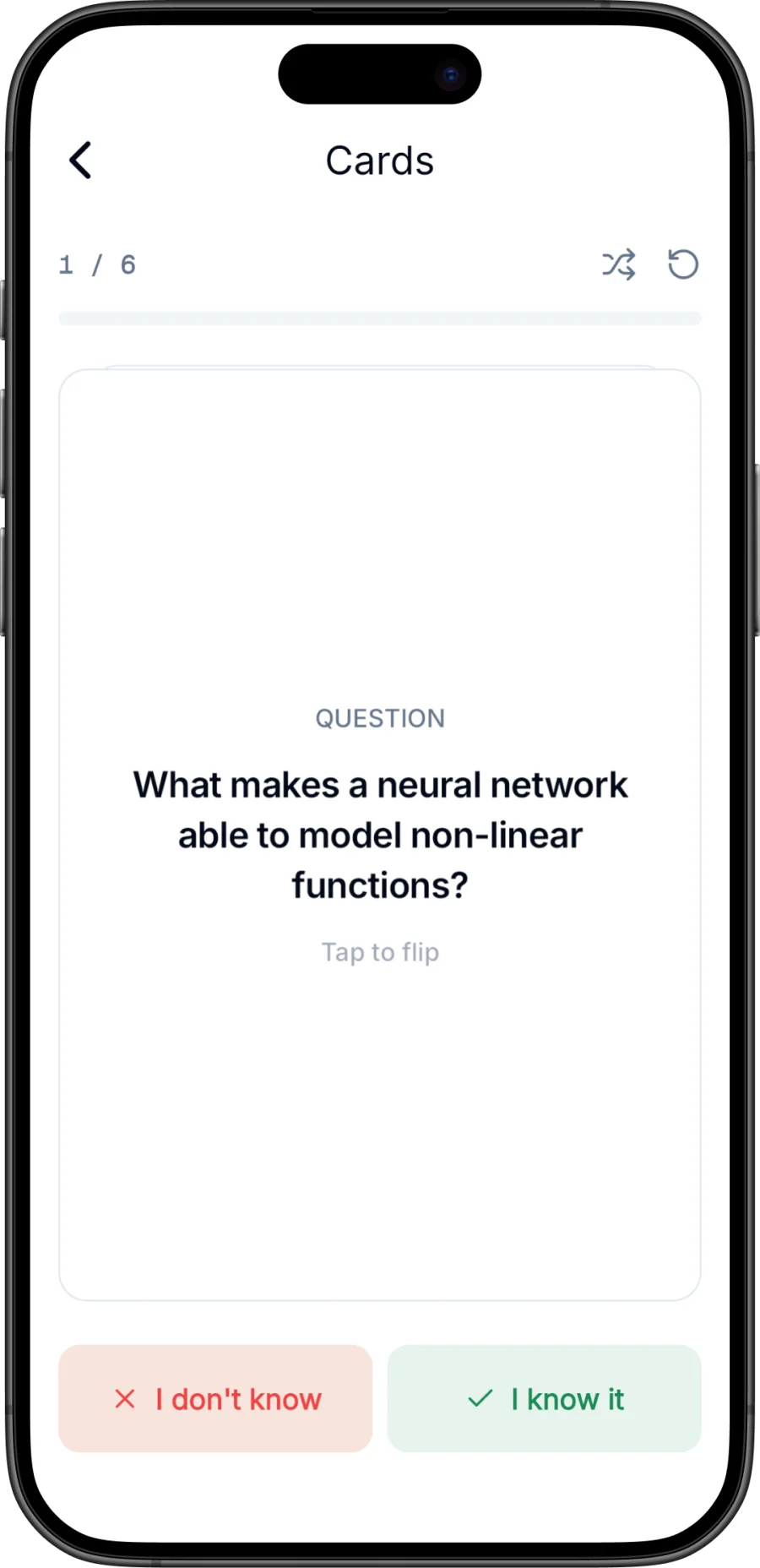
Under the hood, the AI identifies the discrete facts, definitions, and cause-effect relationships in your note and rewrites each one as a question-answer pair. Good cards follow the same rules a good human card-writer uses: one fact per card, a question that can't be answered by pattern-matching, and an answer short enough to self-grade honestly.
Flashcards vs. quiz: recall vs. recognition
Flashcards and multiple-choice quizzes are both retrieval practice, but they exercise different muscles, and you need both.
- Flashcards test free recall. There are no options on the screen — you must produce the answer from nothing. This is the harder, more powerful form of retrieval, and it mirrors short-answer and essay exams.
- Quizzes test recognition and discrimination. A multiple-choice question hands you the answer hidden among distractors; your job is to discriminate the right one from plausible wrong ones. That's exactly the skill a multiple-choice exam grades, and the wrong options often expose misconceptions you didn't know you had.
An AI quiz maker from notes gives you the second mode without any authoring work — writing good distractors is the hardest part of quiz-making by hand, and it's precisely what AI does well from your source material. The scoring also gives you something flashcards can't: an objective percentage that tells you whether you're at 60% or 90% on a topic, which is how you decide where tomorrow's study hour goes.
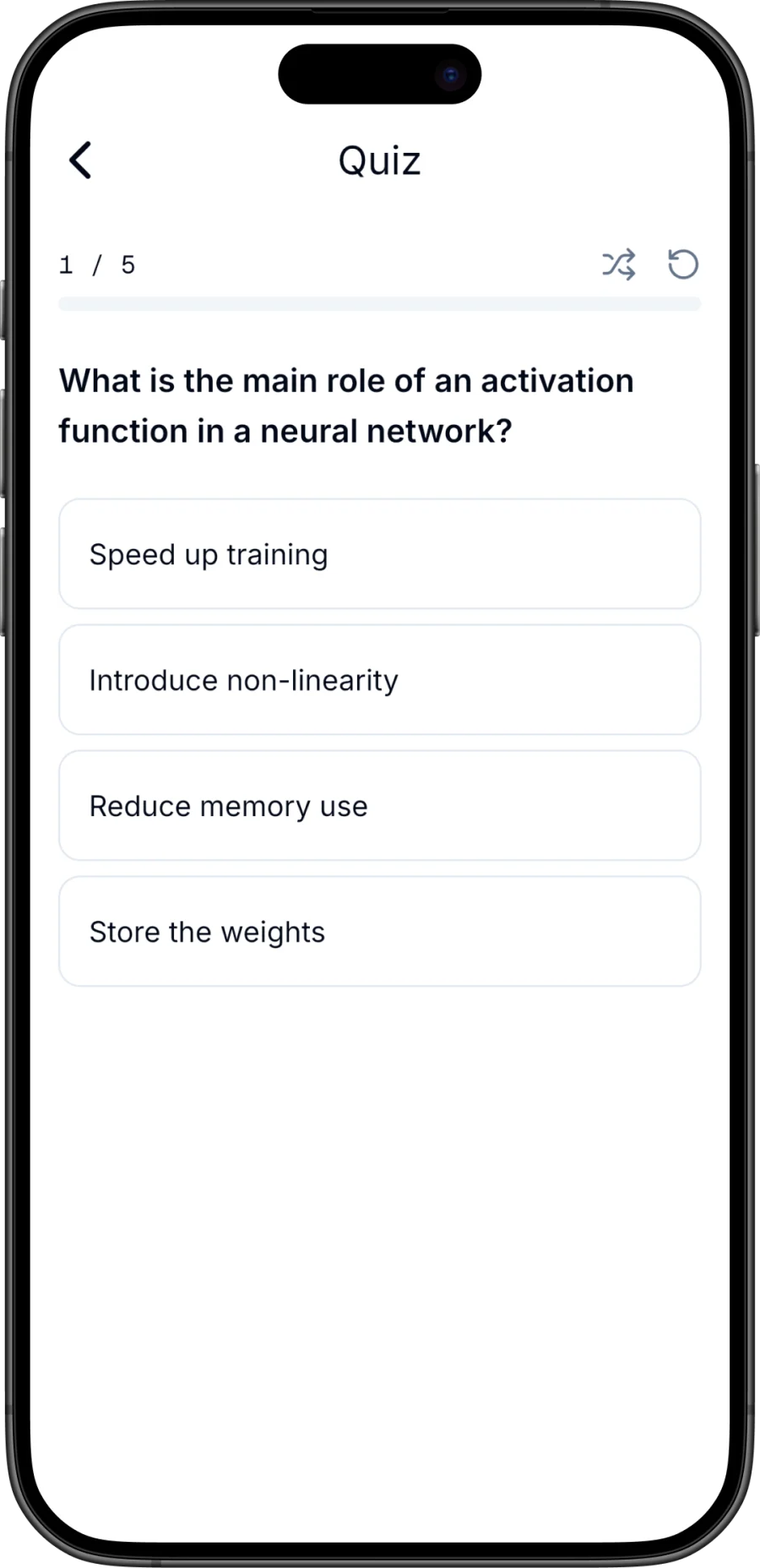
A sensible split: flashcards for daily encoding and maintenance, quizzes as periodic checkpoints, and free recall (blank-page brain dumps) as the final dress rehearsal.
A 7-day exam prep workflow with flashcards, quiz, and chat
Here's a concrete plan that operationalizes the research — retrieval practice, spaced over days, with feedback loops. It assumes your notes are already captured digitally; if they're not, start with our guide to using an AI note taker for lectures.
| Day | What you do | Why it works |
|---|---|---|
| 7 days out | Generate flashcards from every relevant note/PDF. First full pass through all decks; sort cards into known/unknown. | Establishes a baseline and triggers the first retrieval event while memories are freshest. |
| 6 | Review only the "unknown" cards. Skim summaries for anything that made no sense. | Focused effort on weak material; spacing begins. |
| 5 | Take a quiz on the two hardest topics. Note your scores. | Objective checkpoint; distractors surface misconceptions. |
| 4 | Rest day for topic A; flashcard pass on topic B. | Interleaving and spacing — don't mass everything. |
| 3 | Re-quiz your lowest-scoring topic. Use AI chat on your notes to interrogate anything you keep missing ("explain X like I'm new to it," "why is answer B wrong?"). | Feedback plus targeted elaboration on genuine weak spots. |
| 2 | Full flashcard pass, all decks. Anything still "unknown" gets a hand-written one-line explanation from you. | Final spaced retrieval; generation effort on stubborn items. |
| 1 (day before) | One quiz per topic, then stop. No new material. Sleep. | Confirmation, not cramming — the curve is on your side now. |
The pattern to notice: you never "review" in the passive sense. Every session is a test of some kind, and every test tells you what the next session should target.
Quality checklist: verify AI cards against the source
AI-generated cards are drafts from your material, not gospel. Transcription can mishear a term, OCR can garble a formula, and a model can occasionally compress a nuance into a wrong simplification. Before you drill a deck for a week, spend five minutes on this checklist:
- Spot-check against the source. Open the original transcript or PDF next to the deck and verify every card that contains a number, date, name, or formula. These are where errors hurt most.
- One fact per card. If a card asks two things, you'll self-grade it dishonestly. Split it or delete it.
- No answer leakage. The question shouldn't contain the answer's key term.
- Delete trivia. AI sometimes makes cards from throwaway lines. If it won't be on the exam, it's stealing repetitions from cards that will.
- Check coverage. Skim your note's headings — did the deck skip a whole section? Generate again from that portion or add cards manually.
The habit of checking cards against the source has a hidden benefit: it is a study pass, and an active one.
Common mistakes students make with AI study tools
- Generating decks and never opening them. The card does nothing; the retrieval does everything. A 20-card deck you actually drill beats a 200-card deck you admire.
- Flipping too fast. If you reveal the answer before genuinely attempting recall, you've converted retrieval practice back into re-reading. Say the answer out loud, or at least fully form it, before flipping.
- Only using recognition. If your exam has short-answer questions, multiple-choice quizzing alone will overstate your readiness. Flashcards first.
- Cramming the deck in one night. The forgetting-curve evidence is unambiguous: three 20-minute sessions across three days beat one 60-minute session, same total time.
- Studying someone else's deck. Shared decks test a different course. Generate from your own notes; that's the whole point of an AI flashcard maker.
- Trusting cards blind. Run the checklist above. One wrong card, drilled ten times, is a confidently learned error.
Steno: an AI flashcard maker inside an AI note taker
Steno is our iPhone app, and it collapses this entire workflow into one place. It's an AI note taker first: record a lecture (with a live transcript on screen), import an audio file or PDF, snap a photo of the whiteboard, or paste text. From any of those, it produces a transcript and a structured summary — and then the study layer kicks in:
- Flashcards from any note. Steno generates cards from your material and you swipe each one as known or unknown, so every pass automatically sorts out what still needs work. The first 10 cards per note are free.
- Quiz with scoring (Pro). On Steno Pro, any note becomes a multiple-choice quiz with a score at the end — your objective checkpoint for the 7-day plan.
- Chat for weak spots (Pro). Ask questions about the note's own content: "explain this term simply," "how does the second example relate to the first?" It answers from your material, which is what makes it useful for the day-3 deep dive.
Notes stay on your device, no account is required, and audio sent for AI processing isn't kept afterward. If you're comparing options first, see our honest rundown of the best AI note-taking apps, or the step-by-step guide to the full note-to-quiz workflow.
Download Steno for iPhone — record one lecture this week, generate your first deck, and do a two-minute pass tonight. That single retrieval session is worth more than another hour with a highlighter.
Frequently asked questions
Can an AI flashcard maker create cards from a PDF or a photo?
Yes. Tools like Steno accept PDFs directly and use OCR on photos, so a scanned textbook page or a whiteboard shot becomes text first, then flashcards. Always spot-check cards made from photos — OCR is the most error-prone input, especially for formulas and handwriting.
Are AI-generated flashcards as good as ones I make myself?
The cards themselves are comparable when generated from your own notes, and dramatically faster to produce. What you lose is the encoding benefit of writing cards by hand; you recover most of it by verifying the deck against your source before drilling — which doubles as an active review pass. The research is clear that the retrieval practice itself, not card authorship, drives most of the benefit.
What's the difference between an AI flashcard maker and an AI quiz maker?
Flashcards test free recall — you produce the answer with no options shown — which is the more demanding form of retrieval and suits short-answer exams. A quiz maker generates multiple-choice questions from your notes, testing recognition against plausible distractors and giving you a score. Use flashcards for daily practice and quizzes as periodic, measurable checkpoints.
How many days before an exam should I start using flashcards?
Start the day you take the notes, ideally — a same-day pass catches the steepest part of the forgetting curve. For a dedicated exam push, seven days of short, spaced sessions (like the plan above) reliably beats a two-day cram with the same total hours, which is exactly what the research on distributed practice predicts.

