
Search for an AI note taker for meetings and almost every result is a bot: software that joins your Zoom, Teams, or Meet call as a silent participant and transcribes the video feed. That works fine — until the meeting isn't a video call. Client pitches, job interviews, site walkthroughs, one-on-ones over coffee: a huge share of high-stakes conversations still happen in a room, with no meeting link to invite a bot into.
This guide is about that gap: why meeting notes fail in the first place, how to capture an in-person meeting properly (starting with consent), how to turn a raw transcript into decisions and action items, and how bot-based tools compare with apps that record on your phone right there on the table. AI meeting notes are only useful if the capture step works for the meetings you actually have.
Why meeting notes fail
In Harvard Business Review's "Stop the Meeting Madness", a survey of 182 senior managers across industries found that 65% said meetings keep them from completing their own work, and 71% said meetings are unproductive and inefficient. Microsoft's Work Trend Index has tracked the same pressure from another angle: time spent in meetings has climbed sharply since the shift to hybrid work.
Part of the problem is that what gets decided in the room rarely survives the walk back to your desk. Notes fail for predictable reasons:
- The note-taker is also a participant. You can't negotiate a contract clause and capture it verbatim at the same time. Something gives, and it's usually the notes.
- Typing pushes you into transcription mode. Mueller and Oppenheimer's research on note-taking found that laptop note-takers tend toward verbatim transcription — and performed worse on conceptual questions than people who took notes by hand. Trying to be a human stenographer actively hurts your thinking.
- Decisions leave the room without owners. "We should follow up with legal" is not an action item. Without a name and a date attached, it evaporates.
- Nobody rereads a wall of text. Even good notes fail as a ten-paragraph blob nobody opens again.
The fix is a division of labor: let a recording handle verbatim capture, and spend your own attention on judgment — what was decided, who owns it, what's still open.
Where bot-based AI meeting tools stop working
Bot-based note takers assume the meeting happens inside video-conferencing software: the bot joins via your calendar, listens to each participant's clean audio channel, and labels speakers using the platform's metadata.
Strip away the video call and every one of those advantages disappears. In a conference room there is no link for the bot to join, no per-participant audio channel, and no attendee list to label speakers with. Dialing an empty video call into the room just to feed the bot is exactly as awkward as it sounds — and often not allowed in a client's office anyway.
The in-person alternative is simpler: place the iPhone that's already in your pocket on the table, record the room, and let AI produce the transcript and summary afterward. Here's how the two approaches compare:
| Bot-based meeting tools | On-device recording apps | |
|---|---|---|
| In-person meetings | Not designed for them | The primary use case |
| Requires a meeting link / calendar event | Yes | No — press record |
| How participants see it | A "bot" appears in the attendee list | A visible phone on the table (you announce it) |
| Speaker identification | From platform metadata, per-channel audio | AI voice separation from one room microphone |
| Works with no meeting infrastructure | No | Yes — client offices, cafés, hallways, site visits |
| Audio path | Routed through the vendor's cloud meeting integration | Recorded locally; sent for AI processing on your terms |
| If the internet drops mid-meeting | Capture at risk | Recording continues on the device |
If your work life is 100% remote calls, a bot is convenient. If your important conversations happen face to face, an on-device recorder is the tool that actually fits — and the rest of this guide assumes that setup.
A consent-first workflow for capturing in-person meetings
Recording a room full of people takes more care than inviting a visible bot to a call — and the workflow starts before you press the button.
1. Ask first. Every time. Open with something simple: "I'd like to record this so I can stay in the conversation instead of scribbling — is everyone okay with that?" This isn't just courtesy. Recording laws differ by jurisdiction — some allow recording when one party to the conversation consents, others require consent from everyone involved — and workplace or client policies add their own rules. We're not giving legal advice; check what applies to you. But asking openly keeps you on the right side of nearly every regime and builds trust. A hidden recording that surfaces later can destroy a client relationship faster than any missed action item.
2. Set up the phone deliberately. Put it flat in the middle of the table, away from HVAC vents, laptop fans, and clinking coffee cups. Turn on Do Not Disturb. Start recording before the substantive conversation starts and say the date, attendees, and topic out loud — ten seconds that make the transcript self-documenting.
3. Take thinking notes, not transcription notes. With capture delegated to the recording, your handwritten notes should hold only four things: decisions, owners, dates, and open questions. One line each. For moments you'll want to find later, jot the approximate time — "~00:40 pricing objection" — so you can jump straight there in the transcript.
4. Close with a spoken recap. In the last two minutes, summarize out loud: "So we've agreed: Maya sends the revised proposal by Friday, we're parking the integration question until the security review, and we meet again on the 14th." This forces the room to confirm the decisions — and plants a clean, quotable summary at the end of your recording that the AI will reliably pick up.
Turning the transcript into decisions and action items
A transcript is raw material, not a deliverable. The value comes from a ten-minute routine you run within a few hours of the meeting, while your memory can still correct the record:
- Read the AI summary first, not the transcript. Scan the key points against your handwritten decisions list. Anything that contradicts your memory, verify against the transcript — this is where those jotted timestamps pay off.
- Extract action items in owner–verb–date form. "Maya — send revised proposal — Friday, Aug 8." If any item is missing an owner or a date, that's an open question, not an action item; flag it for the follow-up email.
- Interrogate the notes instead of rereading them. If your tool has a chat over the note's content, ask pointed questions: "What did we decide about the Q3 budget?" "What objections did the client raise about timeline?" "Were there any commitments made about pricing?" Targeted retrieval beats skimming twenty pages.
- Send the recap within 24 hours. A short email — decisions, action items with owners and dates, open questions — while the meeting is fresh in everyone's head. This is the single highest-leverage habit in this guide: it converts a conversation into a record people actually agreed to.
What to look for in an AI note taker for meetings
These criteria separate a dependable AI note taker for meetings from a voice-memo app with a marketing page:
- Recording durability. A 90-minute negotiation is unrepeatable. If the app crashes or your battery dies, does the recording survive? Look for continuous saving to disk, not save-on-stop.
- Transcript quality with speaker labels. Room audio is harder than call audio. Without speaker labels separating "the client said" from "I said," a two-hour transcript of a six-person meeting is nearly unreadable.
- Summaries built around decisions. A summary that lists topics ("discussed pricing, discussed timeline") is useless. You want key points that surface what was concluded.
- Search and chat across notes. Three weeks later, "what did we quote them in March?" should be a ten-second lookup, not an archaeology project.
- Export that fits your workflow. Text, Markdown, or PDF out — so action items land in your task manager and recaps land in email.
- A clear privacy story. You're recording other people's words. Know where the audio goes, whether it's retained after processing, and whether the app demands an account.
- Honest limits. Free tiers usually cap recording length or monthly AI minutes. Check the caps against your real meeting lengths before you're 40 minutes into a discovery call.
Common mistakes (and how to avoid them)
- Recording without telling anyone. Legally risky in many places, corrosive to trust everywhere. Always announce it.
- Treating the recording as the notes. A file you never revisit is a security blanket, not a note-taking system. The ten-minute review is where the value is created.
- Skipping the spoken recap. Without it, the AI summarizes a meandering conversation instead of a confirmed set of decisions.
- Bad phone placement. In a pocket, next to the projector fan, at one end of a long table — all produce transcripts full of
[inaudible]. - Letting notes pile up unfiled. Name notes consistently ("Acme — discovery — Aug 1") and file them by client or project.
- Sending no recap. If the decisions never leave your app, the meeting effectively didn't happen.
Steno as an AI note taker for meetings held in person
Steno — our iPhone note-taking app — was built for exactly the scenario this guide describes: no bot, no meeting link, just a phone on the table.
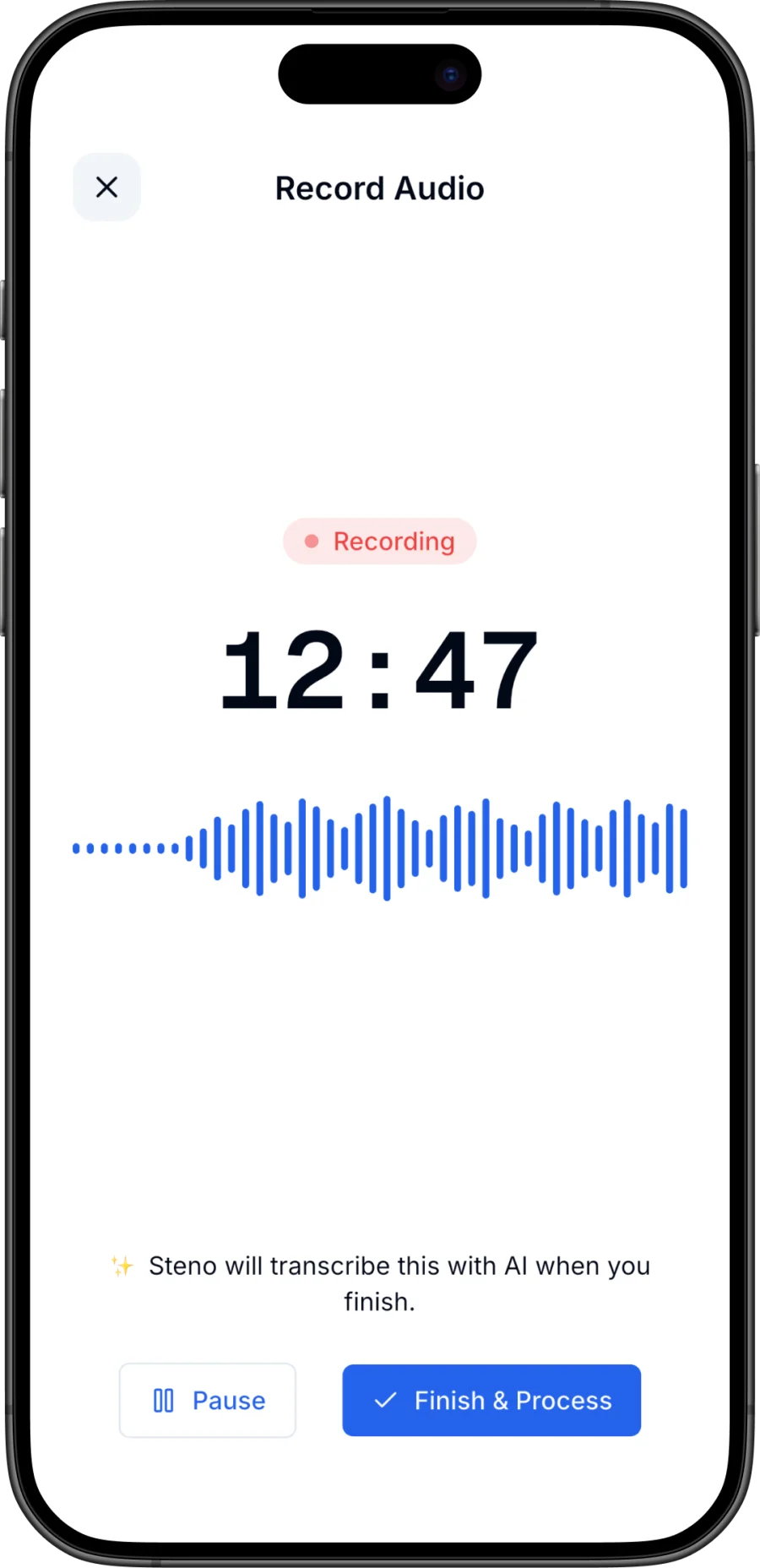
You press record and see a live transcript preview while the conversation runs — a built-in mic check: if the preview is picking up the room, so is the recording. Capture is continuously saved to disk; if the app crashes or your battery dies mid-negotiation, the recording is recovered on next launch.
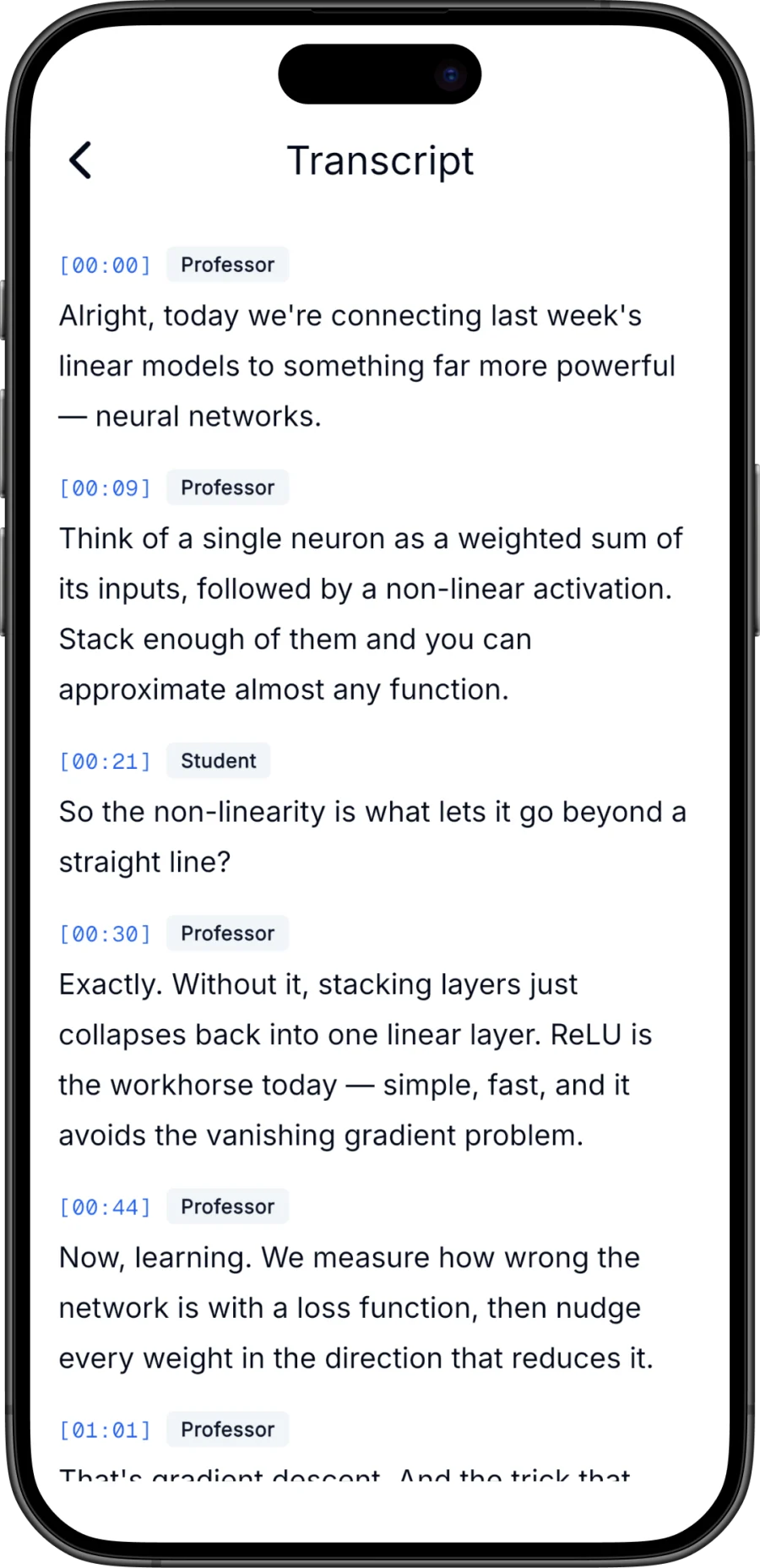
When the meeting ends, AI produces an accurate transcript — with speaker labels on Pro, so a six-person discussion reads as a dialogue instead of a wall of text — plus a structured summary with key points, letting you run the decisions-and-action-items routine from a one-screen overview.
For the interrogation step, Pro includes a chat grounded in the note's content: ask "What did we decide about the Q3 budget?" or "What concerns did the client raise?" and get an answer drawn from the transcript. Notes live in folders with full-text search, and any note exports as text, Markdown, or PDF for the recap email. Privacy-wise: no account required, notes stay on your device, and audio sent for AI processing isn't kept afterward.
Two honest caveats: Steno is iPhone-only (iOS 15+), and the free plan includes a monthly AI transcription allowance with recordings up to 15 minutes each — enough to trial the workflow on stand-ups and check-ins, while longer meetings and speaker labels are Pro territory. If you're comparing options first, see our rundown of the best AI note-taking apps or the step-by-step guide to using Steno. The same capture-then-process workflow also carries over to lectures and classes almost unchanged.
Ready to try it? Download Steno for iPhone — recording your first meeting takes one tap.
Frequently asked questions
What is the best AI note taker for in-person meetings?
It depends on where your meetings happen. For video calls, bot-based services are convenient. For meetings in a room, you want an on-device recording app with durable capture, transcription with speaker labels, decision-focused summaries, and a clear privacy policy. Steno was designed specifically for the in-person case on iPhone.
Is it legal to record a meeting on your phone?
It depends on where you are. Some jurisdictions allow recording when one participant consents; others require consent from everyone, and employers and clients may have policies on top. This article isn't legal advice — check the rules that apply to you. The practical safe path is the same everywhere: tell participants you're recording and get their okay before you start.
How do I get a good recording of a meeting on an iPhone?
Place the phone flat in the center of the table, equidistant from speakers and away from fans, vents, and rattling cups. Enable Do Not Disturb, start recording before the discussion begins, and state the date, attendees, and topic aloud. In apps with a live transcript preview, glance at it early — if the preview tracks the conversation, your audio is good.
Can AI meeting notes replace taking notes yourself?
Not entirely — and that's by design. AI handles verbatim capture and summarization better than you can while participating. But identifying decisions, assigning owners, and spotting open questions is judgment work best done in the room. The winning combination: a recording plus a few handwritten lines of decisions and owners, merged in a ten-minute review afterward.

